 GlucoHelm
Your blood sugar companion.
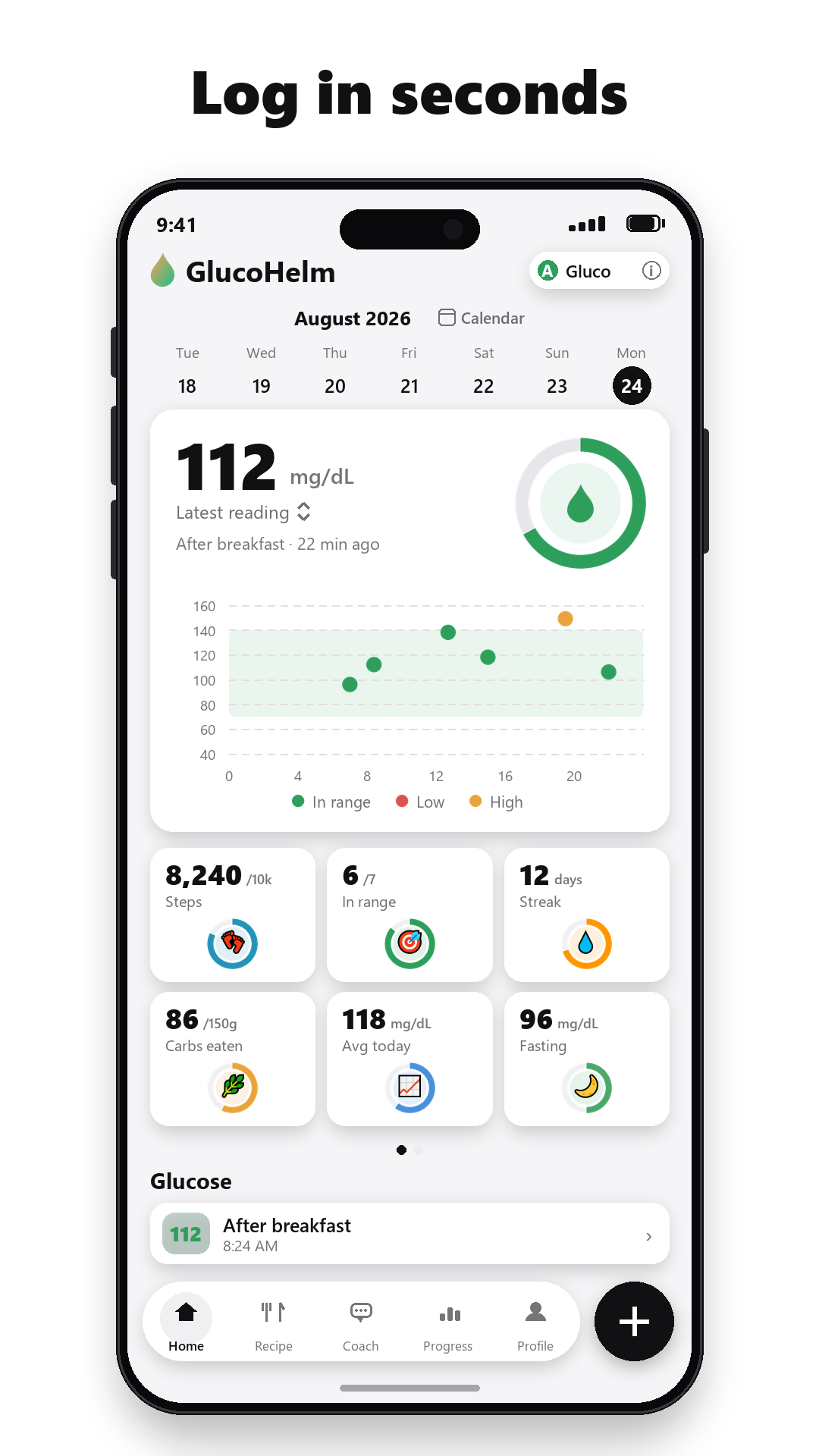
Log in seconds, see what moves your numbers.
GlucoHelm makes glucose logging effortless, turns a photo of your plate into carbs and glycemic impact, and pairs every meal with the reading that follows — so you learn which foods spike you and which sit gently.
Download on theApp Store Get it onGoogle Play
Free to download · No ads · Your data stays on your phone
What it does
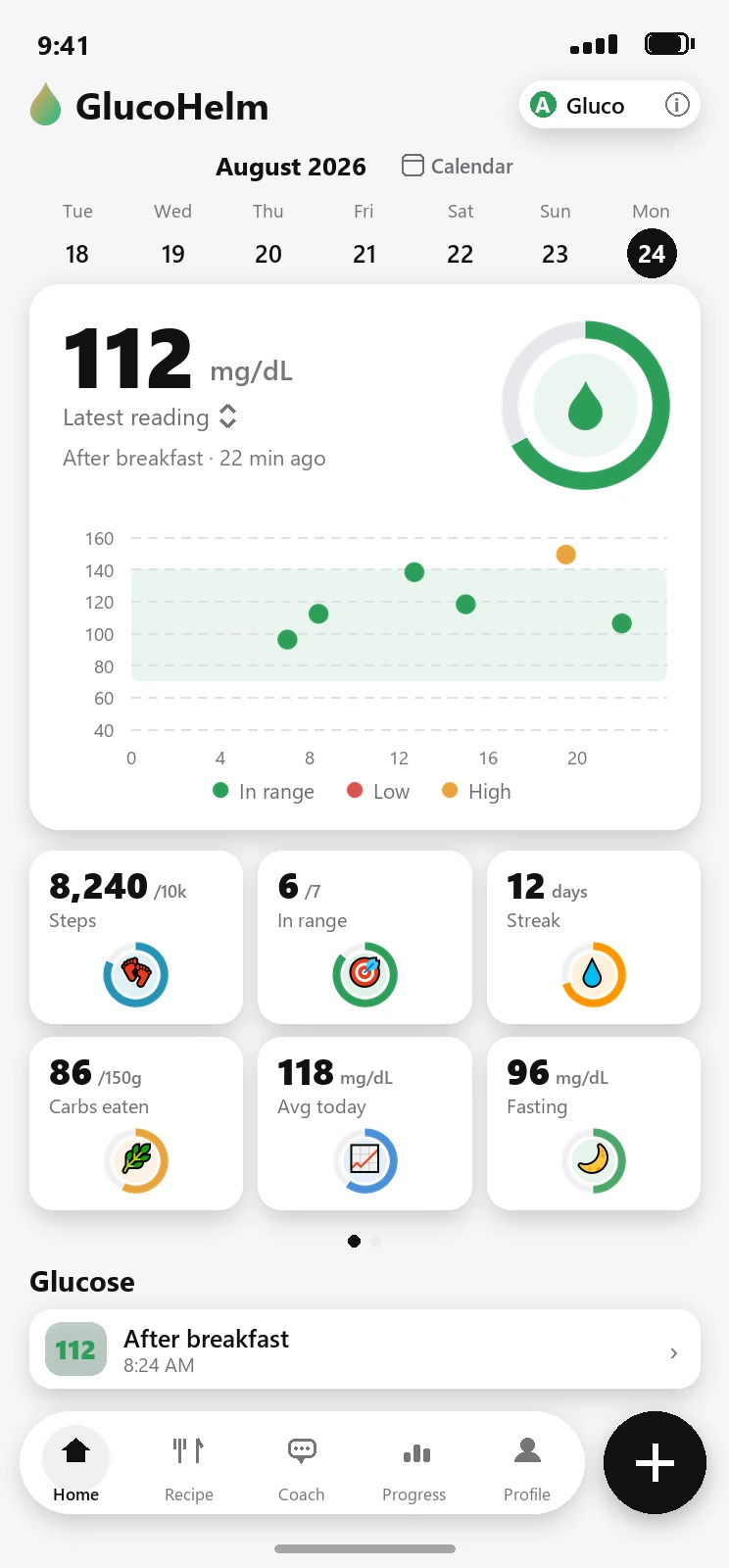
A reading takes seconds. Understanding takes GlucoHelm.
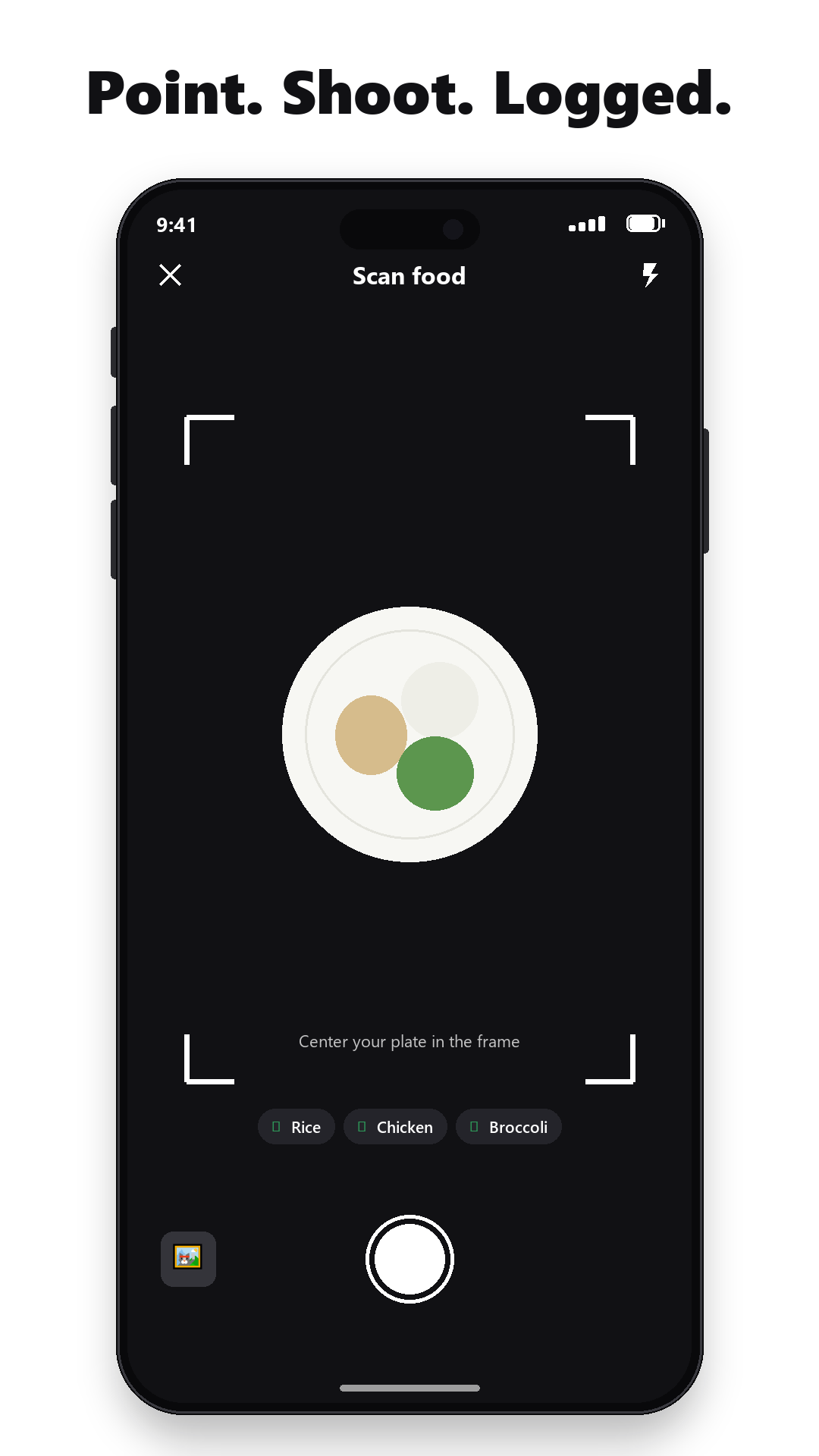
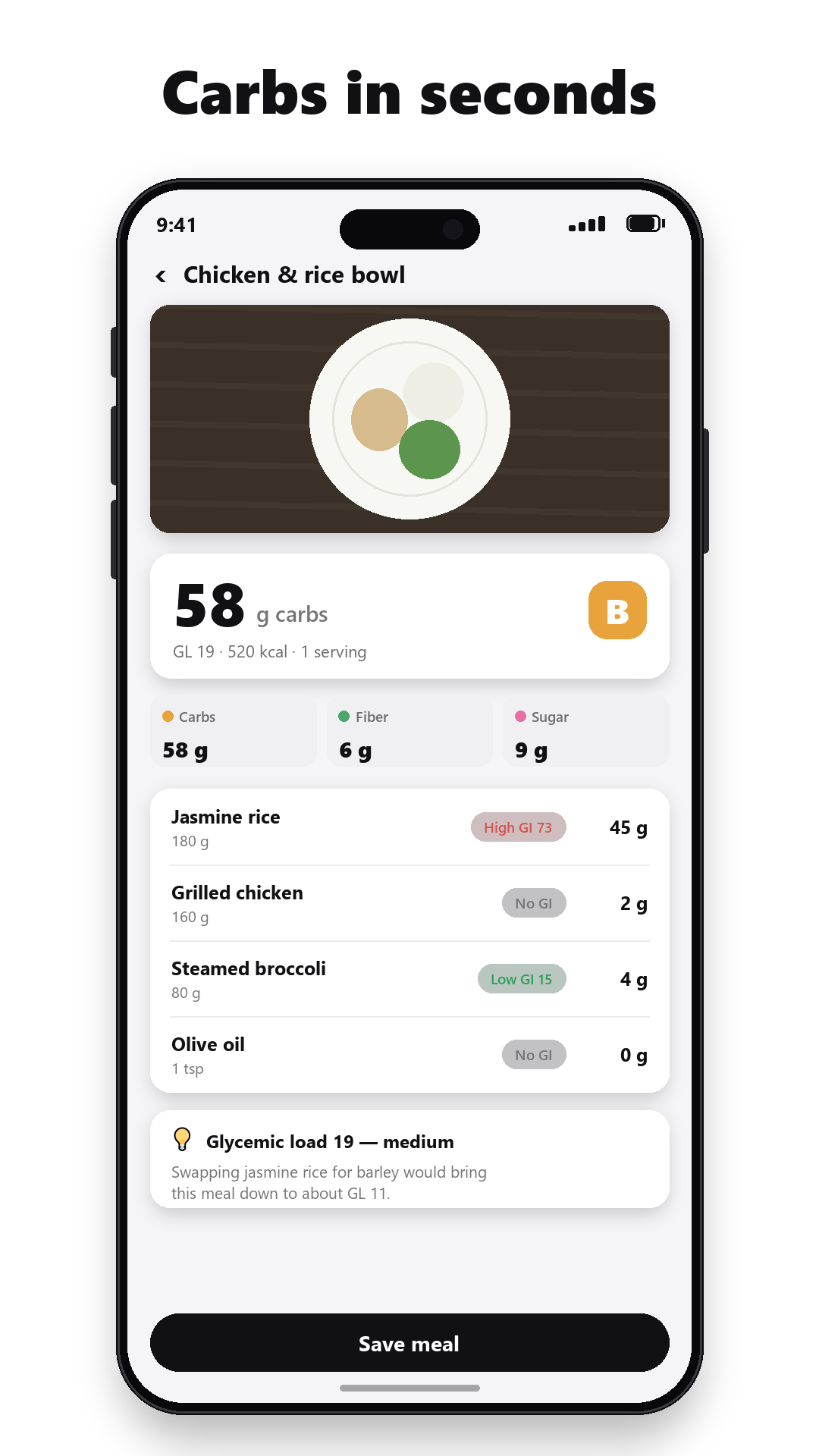
Type a value from your meter and GlucoHelm files it with the right context — fasting, after lunch, bedtime. Snap your meal and the AI estimates carbs, fiber, sugar and glycemic index. Two hours later a gentle nudge asks for the follow-up reading, and the app quietly learns how that meal landed. Numbers stay yours to review and adjust.
Five-second glucose logging
Big keypad, smart context tags, mg/dL or mmol/L. Lows and highs get calm, standard self-care guidance — never a lecture.
Meal scanning for carbs & GI
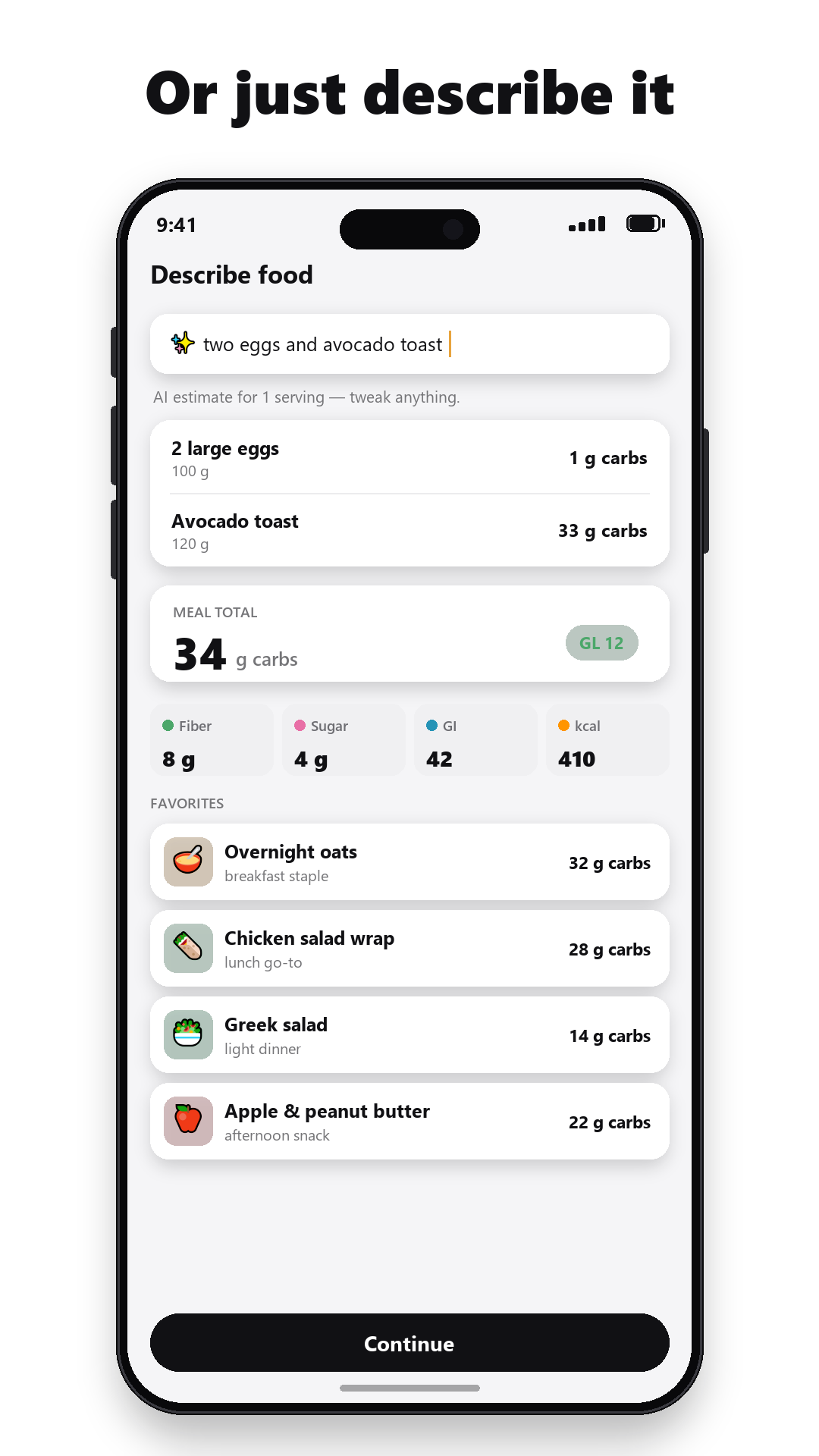
A photo or a one-line description becomes carbs, fiber, sugar and a glycemic-load estimate — the numbers that matter for blood sugar.
See which meals spike you
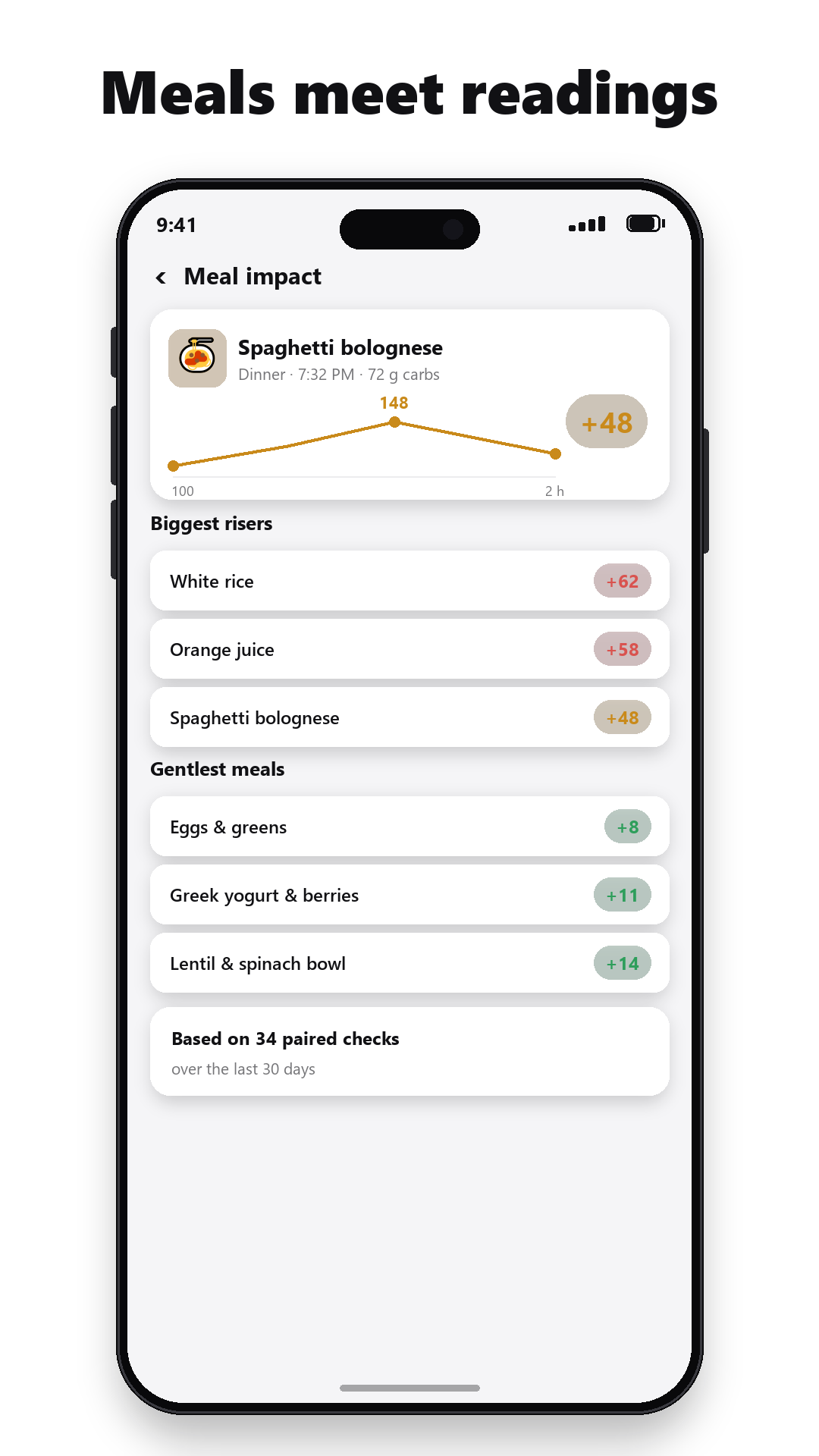
Every post-meal check pairs with the meal before it. Over weeks, GlucoHelm shows your biggest risers and your gentlest meals.
Trends that mean something
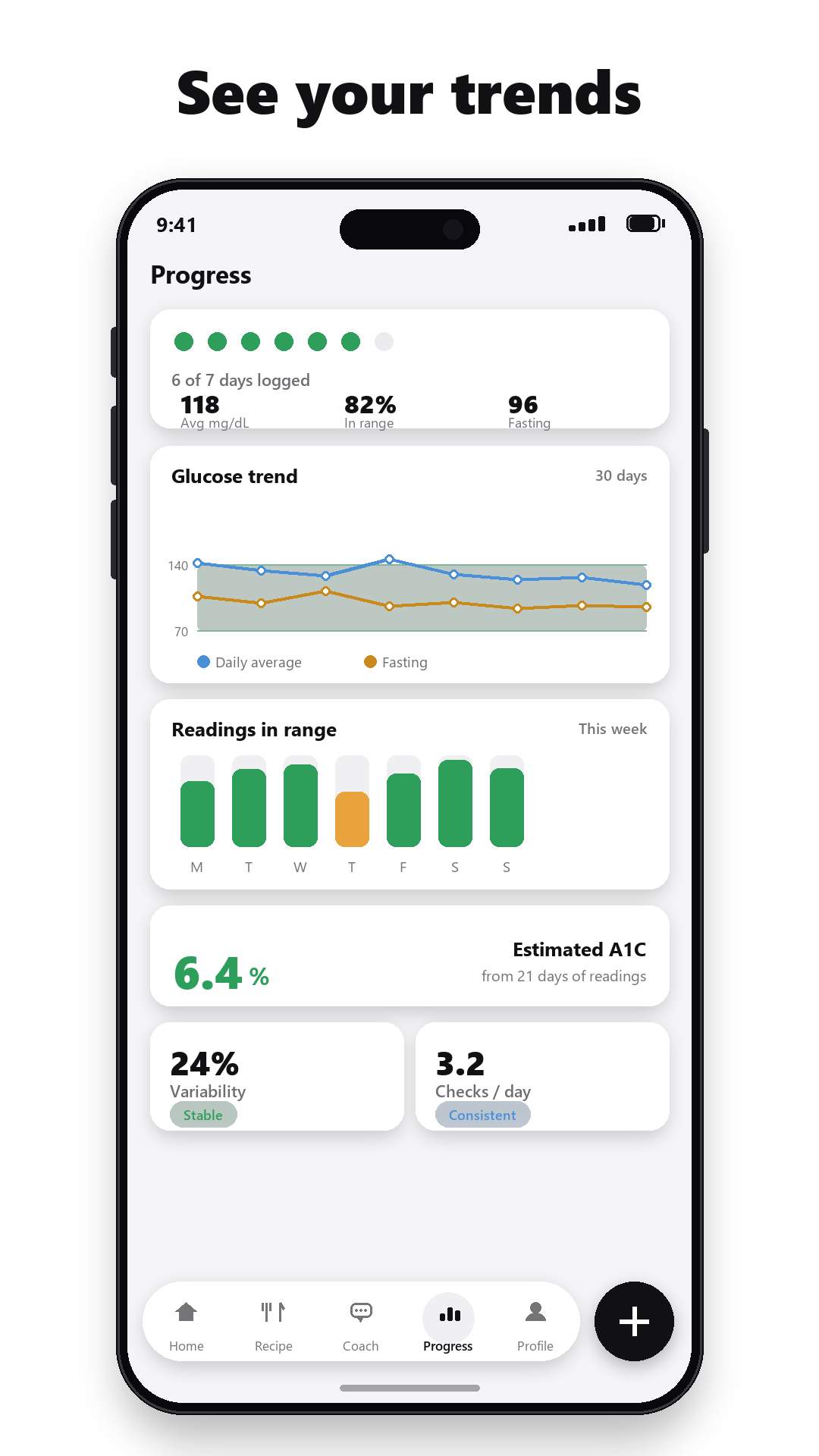
Readings in range, fasting trend, an A1C estimate that unlocks once you've logged enough — honest numbers, honestly labeled.
Syncs with your meter & CGM apps
Readings your meter or CGM app writes to Apple Health or Health Connect flow in automatically, alongside steps and workouts.
A coach that knows its place
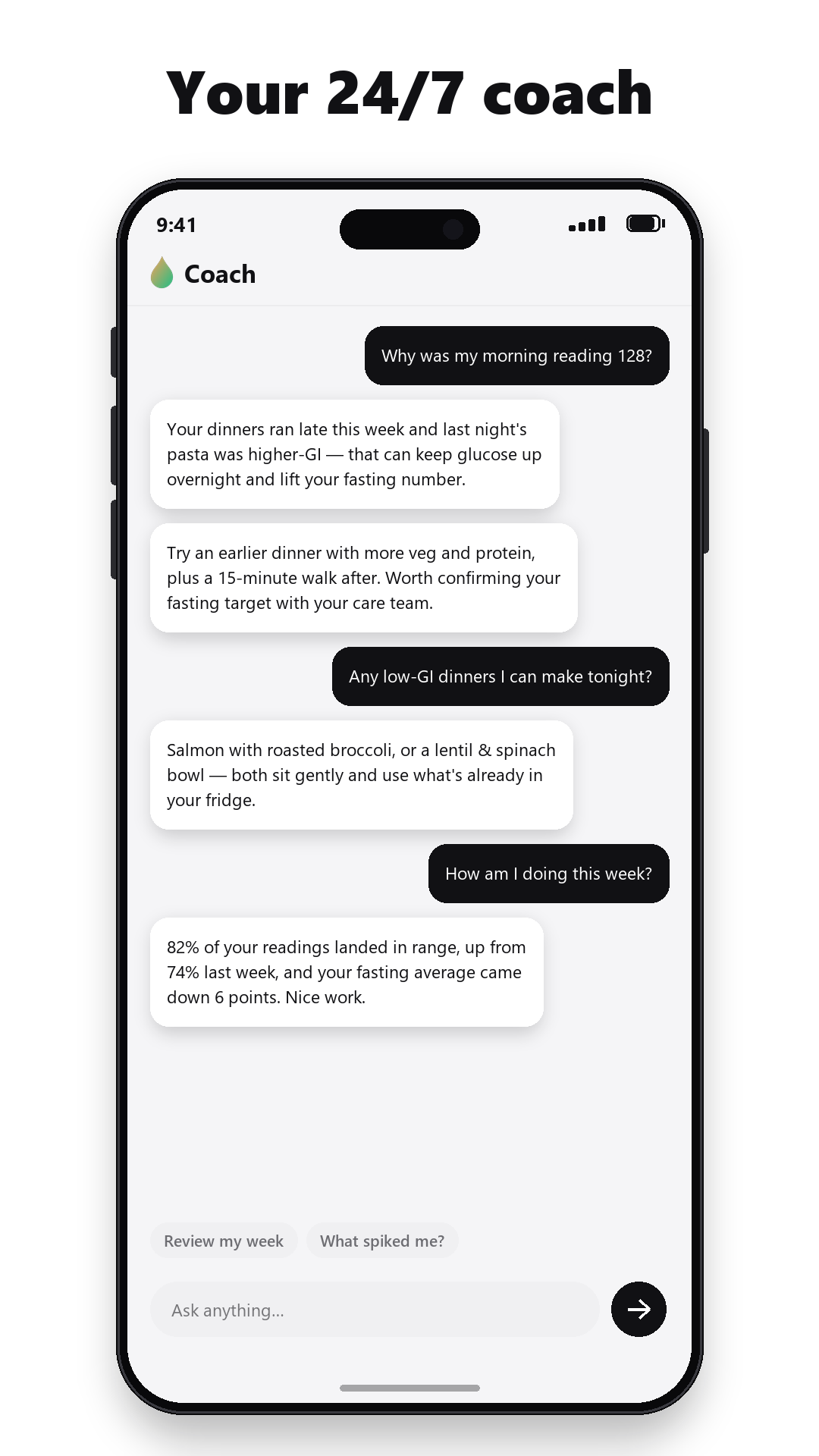
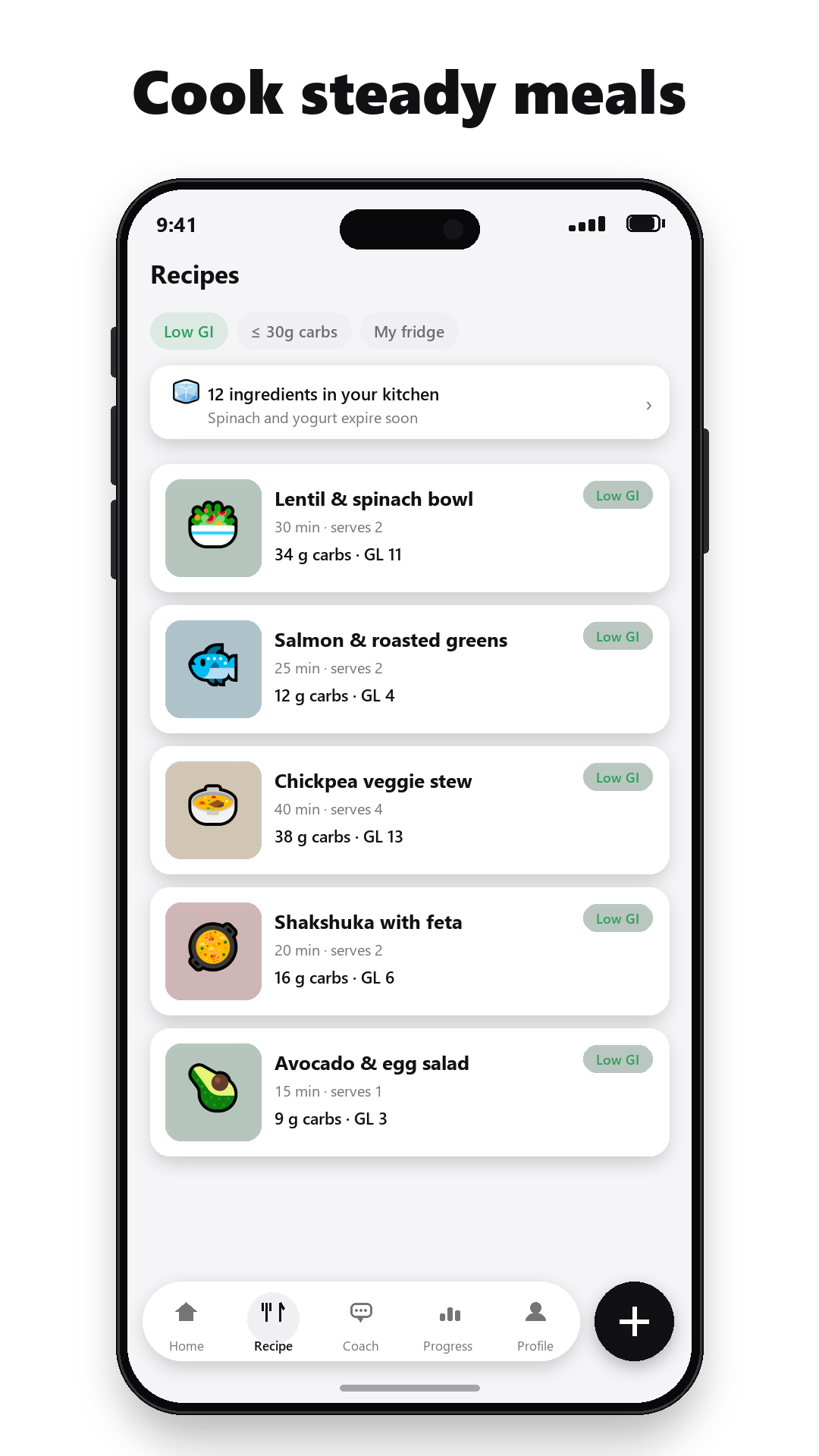
Daily tips and chat grounded in your actual readings and meals. It talks food, habits and patterns — never medication or doses.
A quick tour
Eight screens, end to end
From the first reading to your weekly trends — the same previews we made for the app stores. Swipe through.
Speaks your language
The whole app in 20 languages — AI included
GlucoHelm follows your phone's language automatically, or any language you pick. Not just the buttons: meal analyses, recipes and coaching answers come back in your language too.
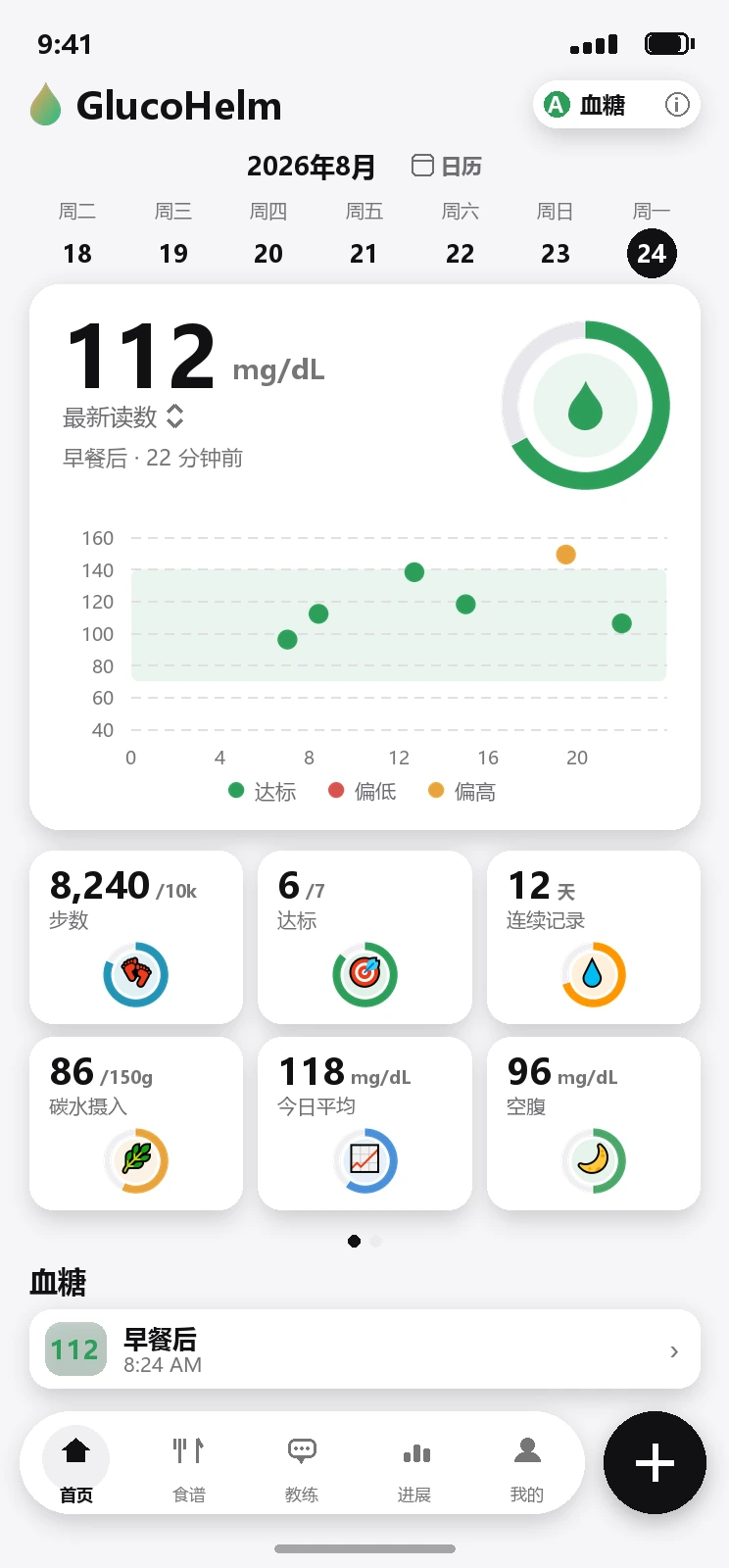
The same screen, following the phone's language.
Private by design
Your glucose diary belongs on your phone
Readings, meals, weights and settings live in a database on your device — not on our servers. Cloud backup is strictly opt-in, tied to your account, and deletable from inside the app with one tap. No ads. No third-party trackers. Meal photos never leave your phone except for the moment of AI analysis, and we don't keep them.
Questions
Frequently asked questions
How do I log a glucose reading?
Tap the plus button, type the number from your meter, and save — the app pre-selects a context like fasting or after-meal from the time of day, and you can back-date readings you forgot to log. Readings your meter or CGM app writes to Apple Health or Health Connect can sync in automatically.
What does meal scanning tell me?
Take a photo of your plate (or type a one-line description) and GlucoHelm's AI identifies each food, estimates portions, and returns the numbers that matter for blood sugar: carbohydrates, fiber, sugar and a glycemic-index estimate per food, plus the meal's glycemic load. You review and adjust everything before it's saved.
Which languages does GlucoHelm support?
Twenty: English, Spanish, French, German, Portuguese, Simplified and Traditional Chinese, Japanese, Korean, Arabic, Hindi, Russian, Italian, Dutch, Turkish, Vietnamese, Thai, Indonesian, Malay and Polish. The whole app — including AI answers — follows your language.
Where is my data stored?
On your phone, by default. Your readings, meals, weight history and settings live in a local database. Cloud backup is optional and tied to your account; you can delete the backup or the whole account from inside the app at any time. There are no ads and no third-party trackers.
Is GlucoHelm medical advice?
No. GlucoHelm is a wellness diary that gives general information and estimates. It is not a medical device, it never suggests medication or insulin doses, and it doesn't replace your meter, your CGM, or advice from your care team. Always make treatment decisions with your doctor.
Where can I download GlucoHelm?
GlucoHelm is free to download on the App Store for iPhone and on Google Play for Android.
Contact
Get in touch
Questions, feedback or a bug to report? Write to us and a real person will read it.